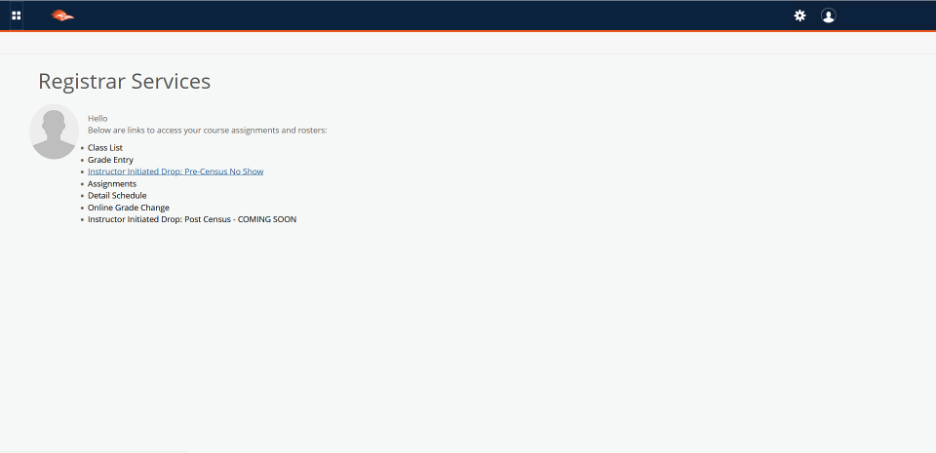
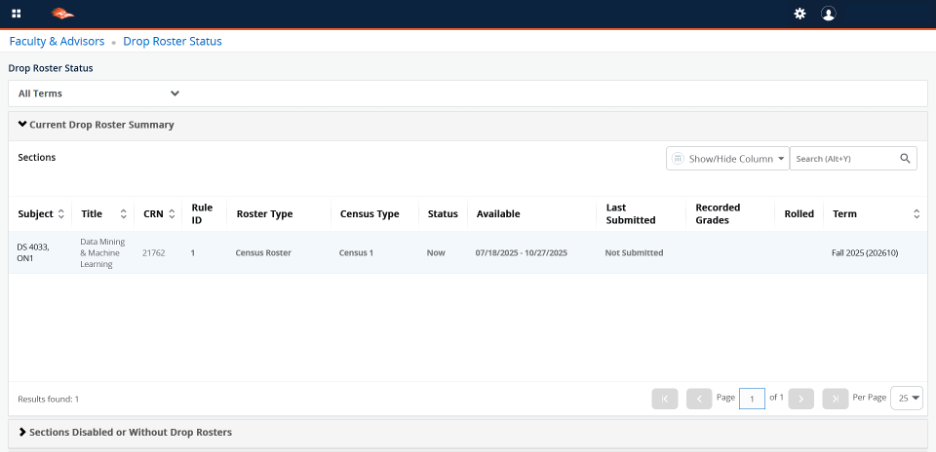
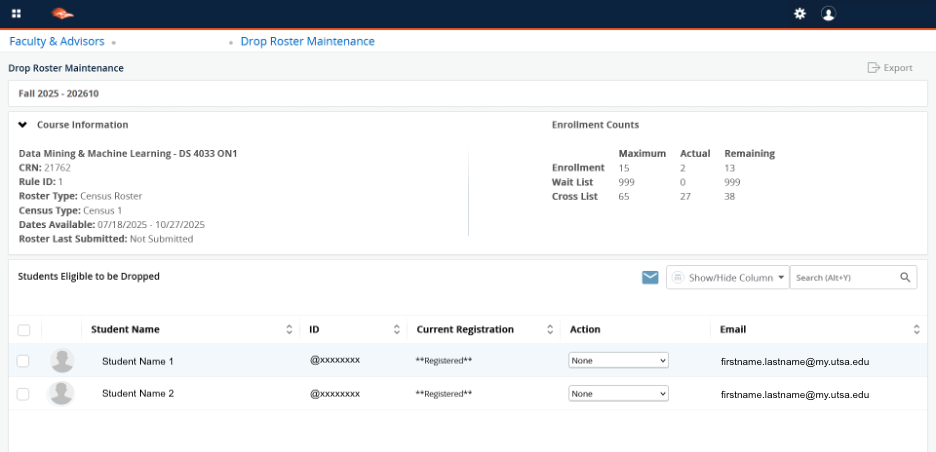
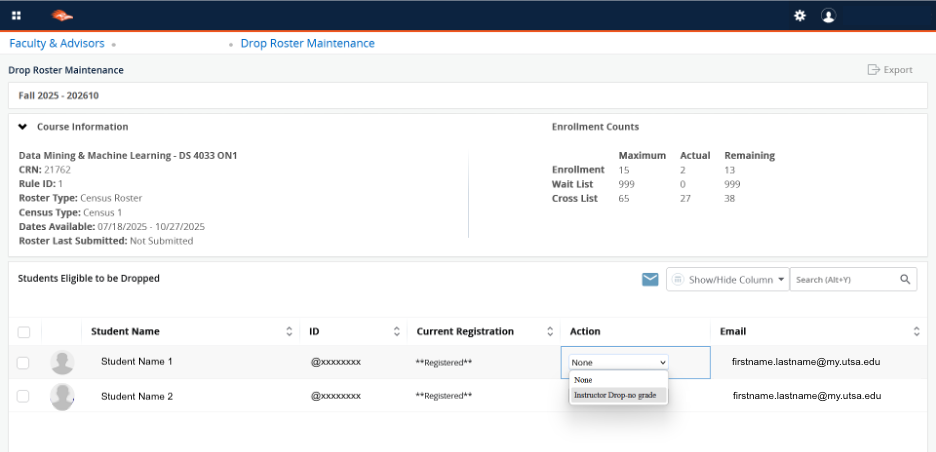
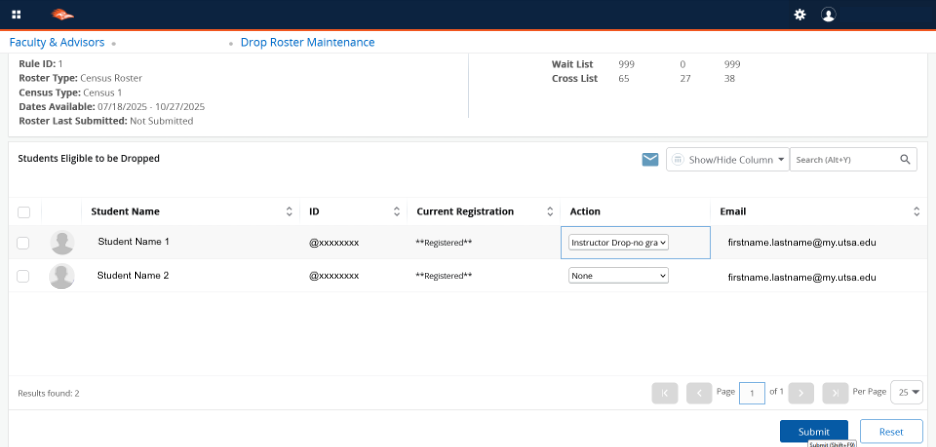
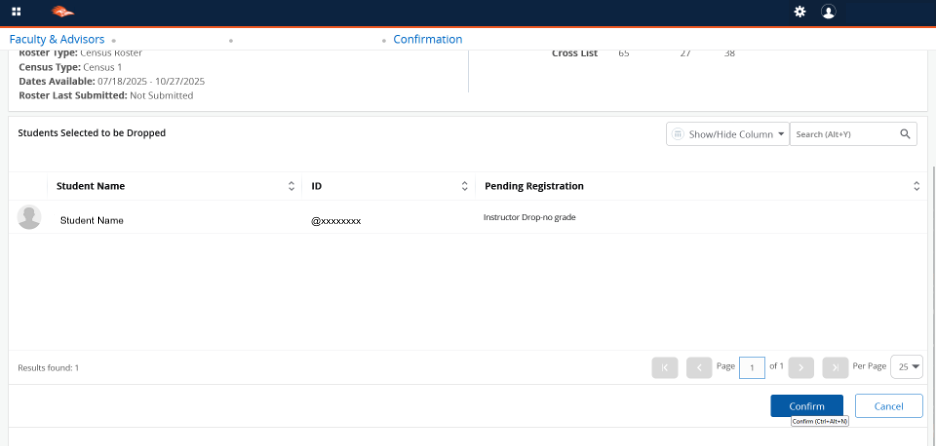
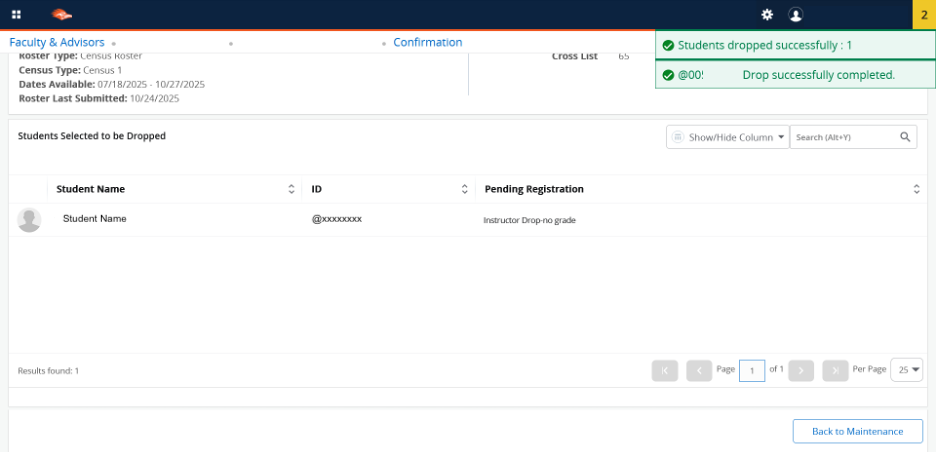
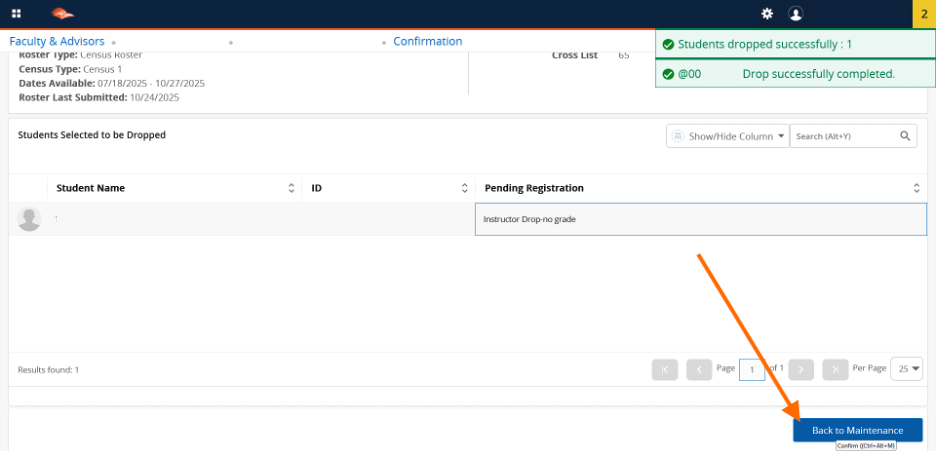
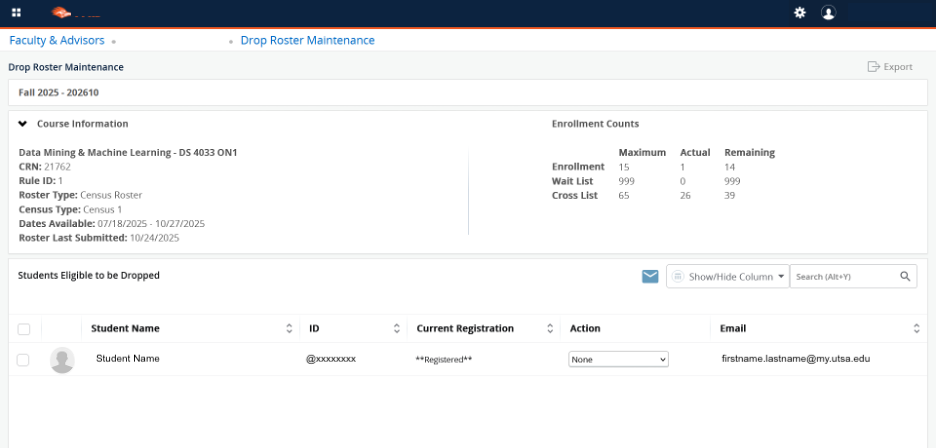
Below are instructions on how to drop a student for non-attendance prior to the Census date. A process for dropping after the Census date is in development.
The instructor drop process is part of the HOP 5.09 Attendance and Participation Policy. It is a voluntary activity—faculty may choose to drop a student who exceeds limits in any of their courses or may choose not to implement instructor drops. However, if you choose to implement instructor drop you must:
If you are interested in participating in the Instructor-Drop process, please use the syllabus template provided on the Academic Affairs website to ensure it has all of the required elements. In order to use Instructor-Drop process, you must include the policy information on the limit of unexcused absences or missed assignments for the class in the syllabus and keep accurate attendance/missed assignment records.
Students who have been dropped from your class have the right to a speedy appeal process, since dropped students may be missing class while their appeal is being considered. Generally, unless there is compelling evidence of an error in your attendance or participation record, differential treatment, discrimination, or violation of a relevant university policy, appeals will be denied. While the appeal is under review, students will still have Canvas access to your class for 8 days.
Students have three days to appeal, after they have been notified officially that they have been dropped. College administrators (Department Chairs) have the same three-day period in order to make an appeal decision.
The Reinstatement Petition (online appeal form) is available online.
The Instructor Initiated Drop: Pre-Census No Show will be available for use until the Census Date. Instructor-Initiated Drop is not used during Summer terms.
 One UTSA Circle, San Antonio, TX 78249
Information: 210-458-4011