
Faculty can view their class roster through their myUTSA Account at my.utsa.edu.
Once logged in, click on the “Staff/Faculty Services” tab at the top. Navigate to the “Menu: Registrar Services” card and select “Class List.”

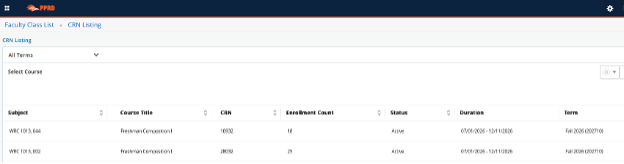
From the list, select the course you want to view. Click on the Course Subject to open the class list.
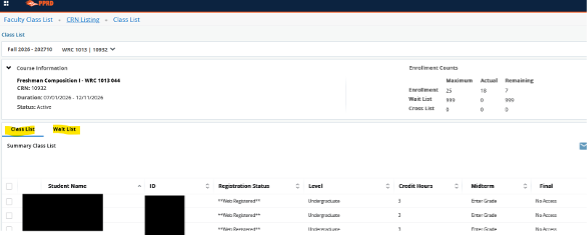
Here you will be able to view your class list roster. If your course has a waitlist, you can also view students on the waitlist by selecting the waitlist tab.
 One UTSA Circle, San Antonio, TX 78249
Information: 210-458-4011