
Recruitment Process
We are committed to ensuring that equal opportunity is afforded to all candidates to further the university’s goal of identifying and recruiting qualified talent. If you have questions or need assistance, please contact The Talent Acquisition Team.
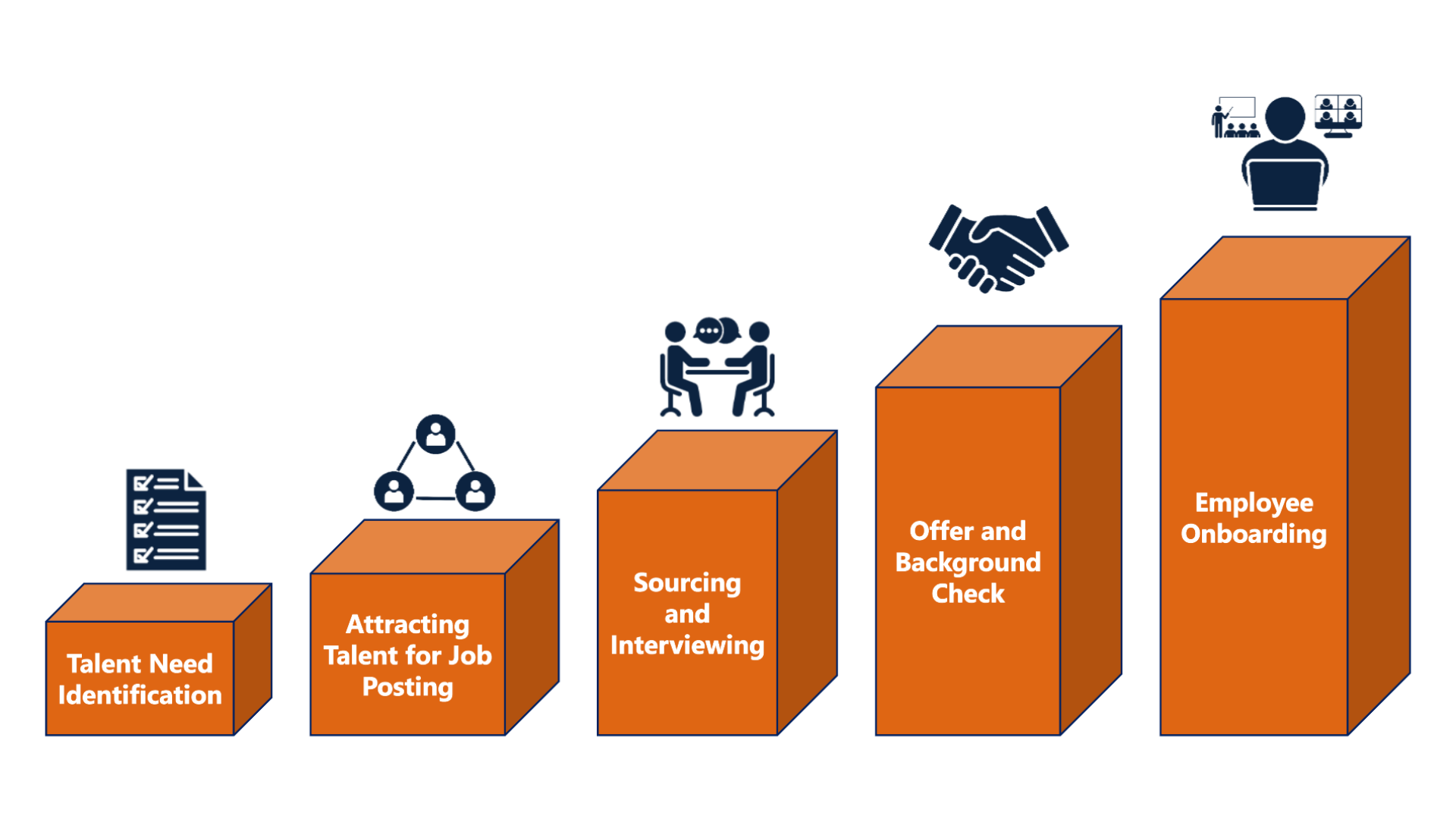
There are five phases to consider when adding talent, modifying an existing position or filling a vacant position on your team.
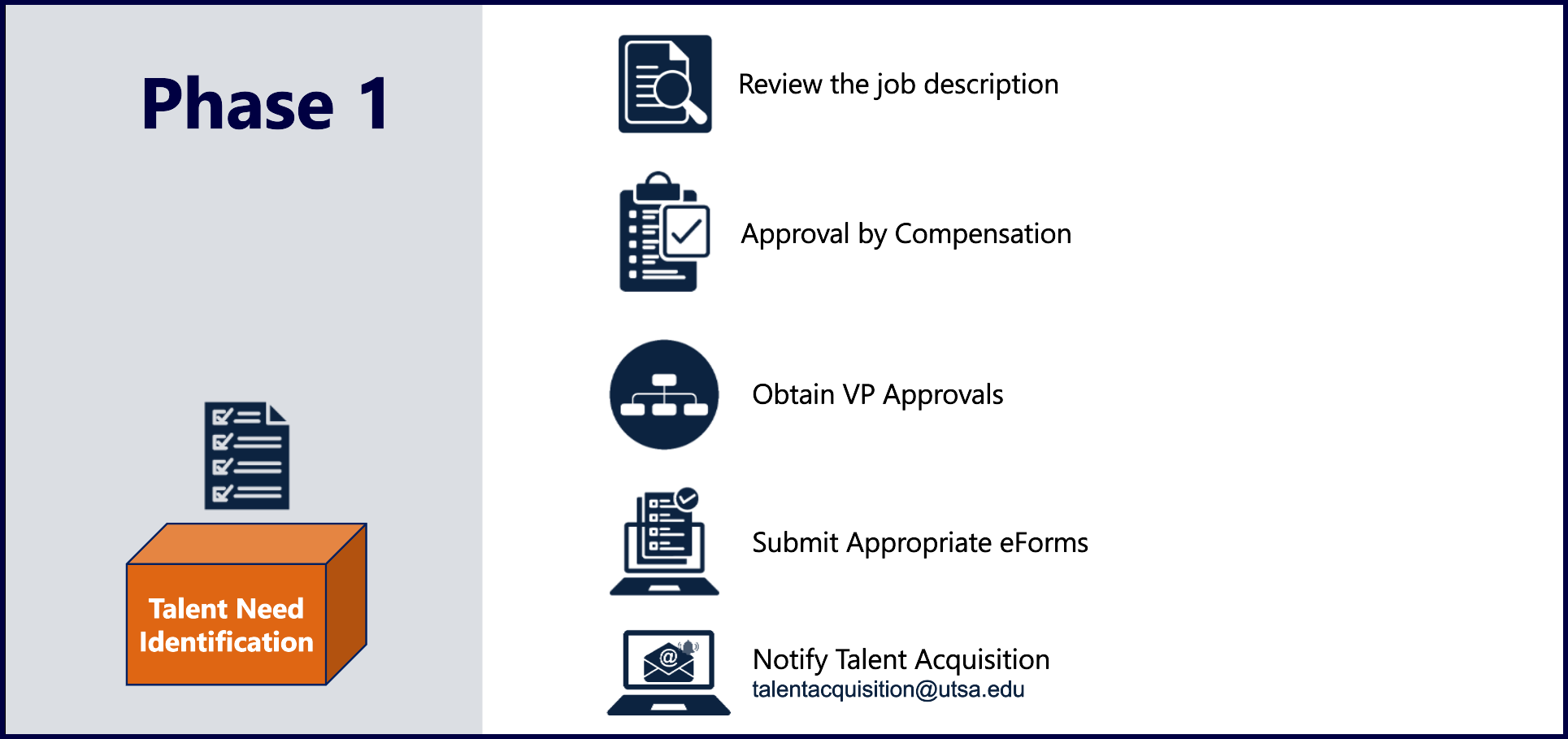
Review the Job Description
The first step is to review the job description and confirm that it accurately reflects the roles and responsibilities for your staffing need.
If you need to create a new position or modify an existing one, arrange a time to meet with your Human Resources Business Partner (HRBP) for assistance. If the job description has been updated, your HRBP will coordinate with Compensation for review and approval. Compensation maintains all official job descriptions, and as part of the review process, they will review the job's title, job code, responsibilities, qualifications, pay grade, and salary range.
VP Approval
A VP approval is needed to fill a vacant position, create a new position or reclassify an existing position. Please complete the Position Request Form for approval for staff positions. Refer to the Position Request Form Approval Matrix for the specific approval and processing instructions.
The Position Request Form is not required for faculty positions, student positions, 100% grant funded positions, temp agency hires, or additional duties/supplemental pay requests.
- Faculty and 100% Grant Funded Positions will need the appropriate email or memo from the vice president/dean to approve the request.
The Position Request Form will not make any changes in PeopleSoft; an eForm will be required to implement any changes.
Submit Appropriate eForms
- To create a new position, the department must submit a New Position Request eForm. Completion of this eForm will generate a position number to add to your organizational chart. A position number is also required to create a job posting in TAMS.
- To make changes to an existing position (reclassifying a position), the department must submit a Position Attribute Change (PAC) eForm. The Position Attribute Change eForm may be used to request changes to the details of a position, including vacant and filled positions, to include updating the title/job code, FTE (if staying within the same benefits status), "reports to" information, department, etc.
- Depending on the requested change, a job posting may be created prior to PAC eForm completion. Please contact Talent Acquisition for assistance.
- If you are not making any changes to an existing, vacant position, you will not need to submit an eForm.
- For additional assistance, view the eForms Quick Guides.
Notify Talent Acquisition to Post the Position
After receiving the required approvals, email Talent Acquisition with the following information to create the posting and initiate recruitment:
- Completed Position Request Form or Memo/Email Approval
- Position number
- Job description
- Hiring manager name(s)
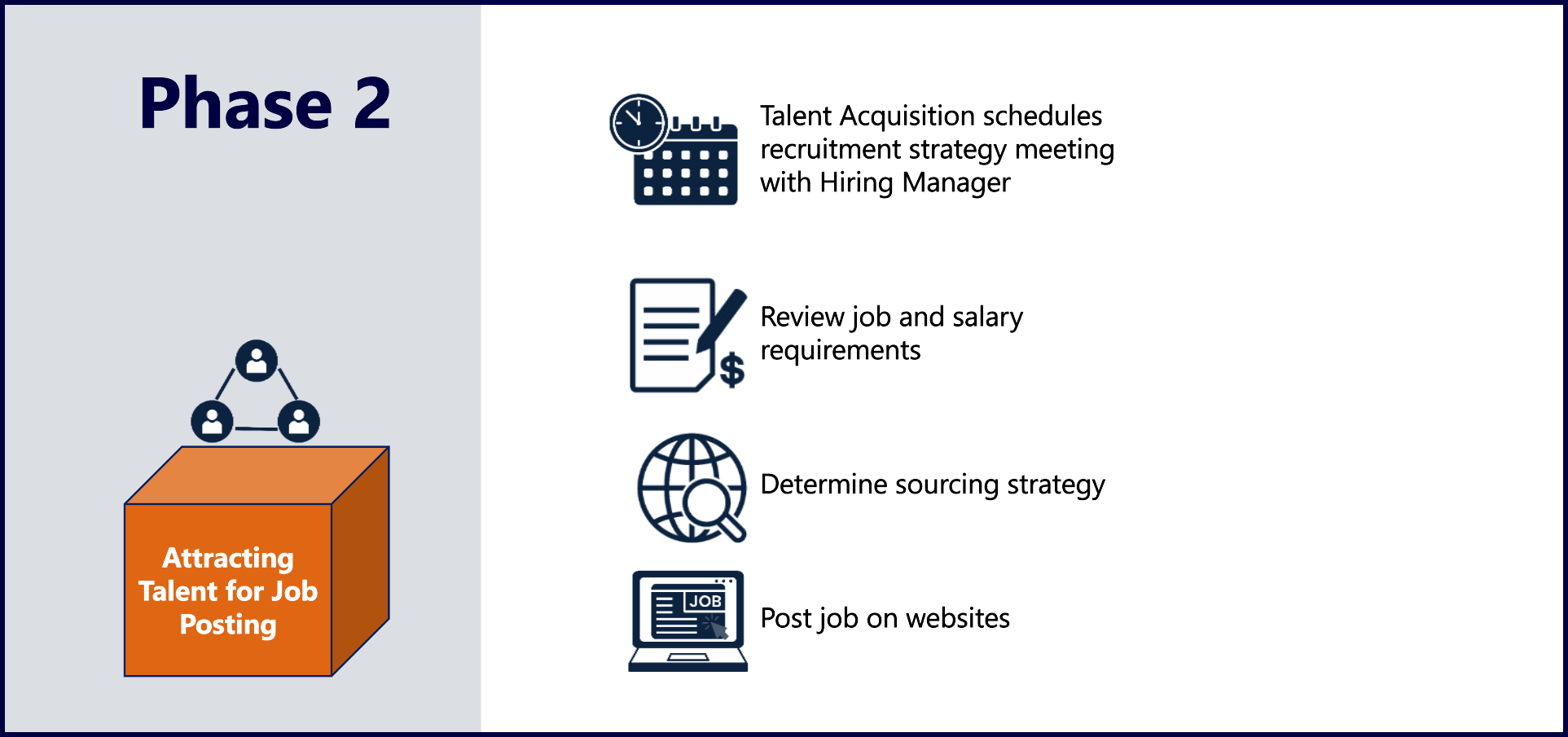
After Talent Acquisition has received your approved staffing need, they will create the job posting in TAMS and schedule a Recruitment Strategy Meeting (RSM) with your Talent Acquisition Partner to review the following:
- Position requirements
- Salary expectations
- Job posting locations and dates
- Interview timeline and best practices
- Tips for onboarding a new employee
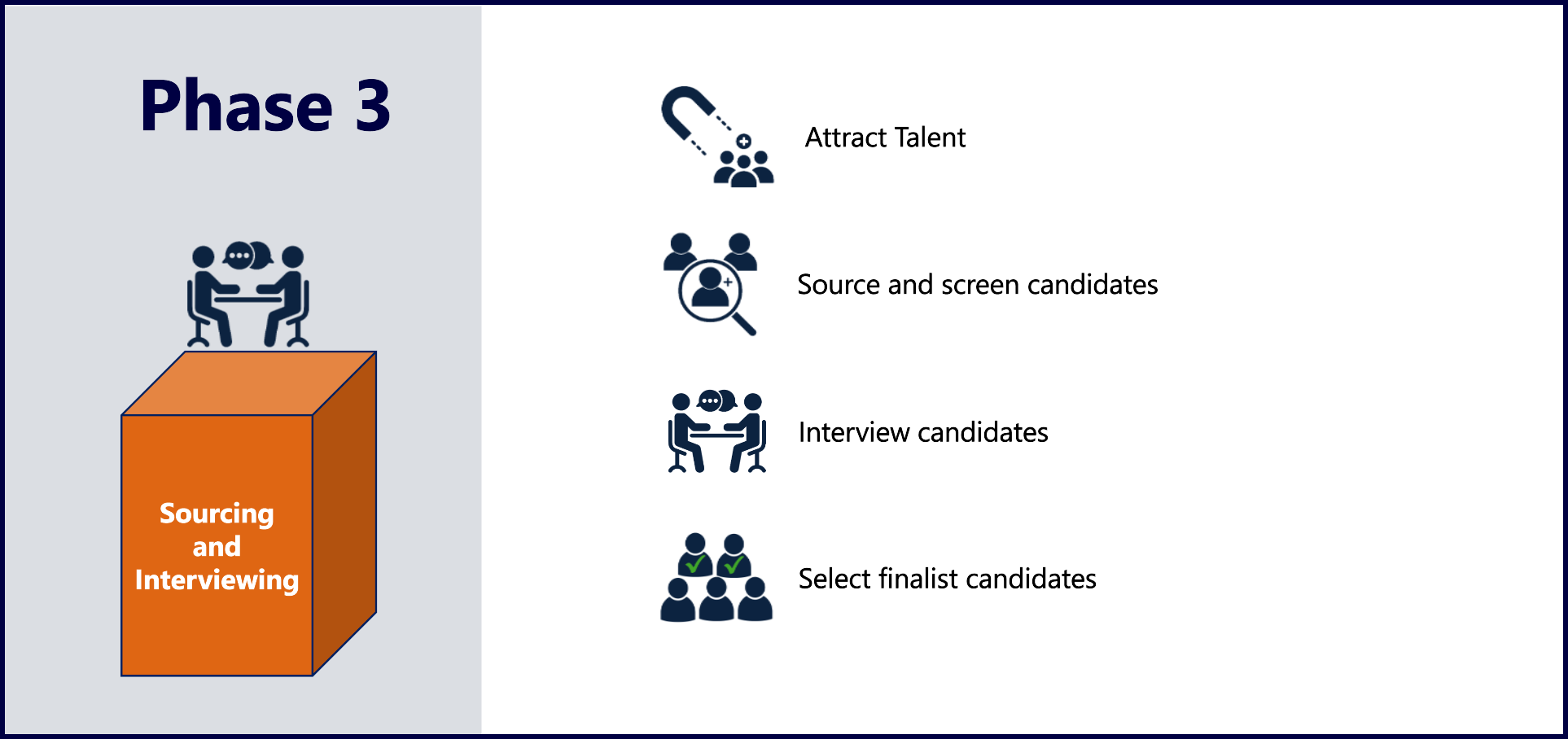
After the applicant pool is established, the hiring manager can begin reviewing applications/resumes to determine the most qualified candidates and begin the interview process. The Hiring manager(s) and interviewers are responsible for ensuring that equal opportunity is afforded to all candidates.
As a state institution, UT San Antonio has Military Employment Preference and Former Foster Child Preference requirements, as referenced in TX Gov Code Chapter 657 and TX Gov Code Chapter 672 respectively. Your Talent Acquisition Partner will go over these requirements during the RSM. For more information, please visit Military Preference and Federally Protected Veteran Information and Employment Preference for Former Foster Children.
After the interviews are complete and the hiring manager has selected the finalist(s), they will partner with Talent Acquisition to confirm qualifications/eligibility and, in collaboration with Compensation, discuss salary recommendations.
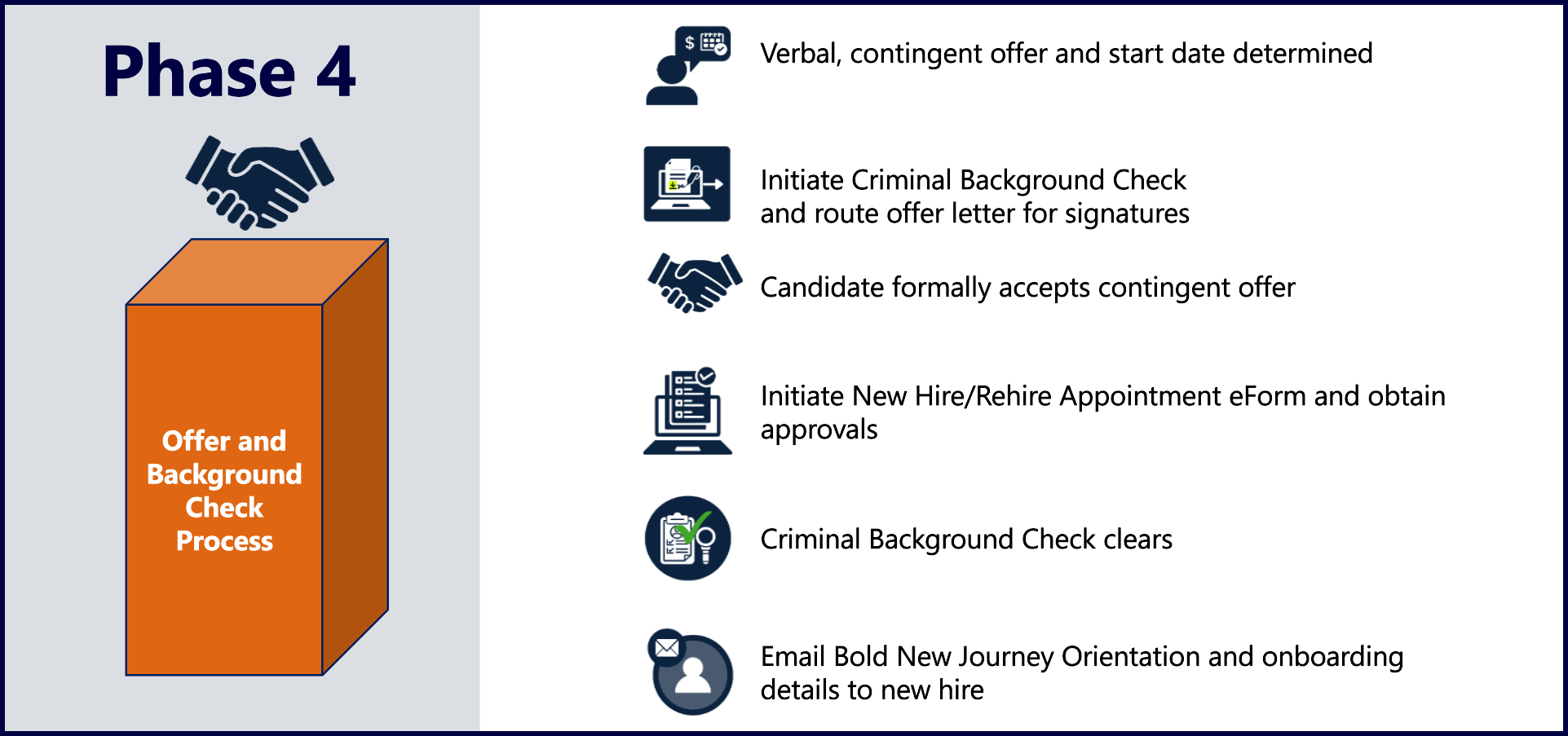
Verbal Offer and Start Date
After offer and salary approval, a verbal offer, contingent upon a successful background check, is extended to the candidate. Once accepted, a start date is determined based on the Bold New Journey Orientation calendar.
All new hires attend Bold New Journey orientation to complete their new hire paperwork and learn more about the university's mission, vision, core values and strategic destinations.
Criminal Background Check & Offer LetterTalent Acquisition will initiate the Criminal Background Check (CBC) (and any other prerequisites to employment) and route the offer letter for signatures through DocuSign. For more information on CBCs, view HOP 4.30 | Criminal Background Checks.
All CBCs must be clear before a candidate can begin employment. Talent Acquisition will collaborate with the hiring managers if there are any delays that may impact the start date.
eFormsAfter the candidate has accepted the offer, the department will submit an Appointment (New Hire/Rehire) or Transfer (Internal Transfers) eForm. Completion of this eForm will establish their employee profile, employment record, and University credentials. The CBC must clear before the eForm is fully approved. Refer to the Bold New Journey Orientation calendar for eForm deadlines.
Bold New Journey Orientation and Onboarding Instructions
After the eForm has been approved, Talent Acquisition will email the following information to your new hire prior to their start date:
- Date, time and location of Bold New Journey Orientation
- Parking instructions
- Onboarding task details
- I-9 instructions
- Steps to obtain employee credentials
This information will also be forwarded to the Hiring Manager along with an invitation to a New Hire Breakfast Meet & Greet the morning of Bold New Journey.
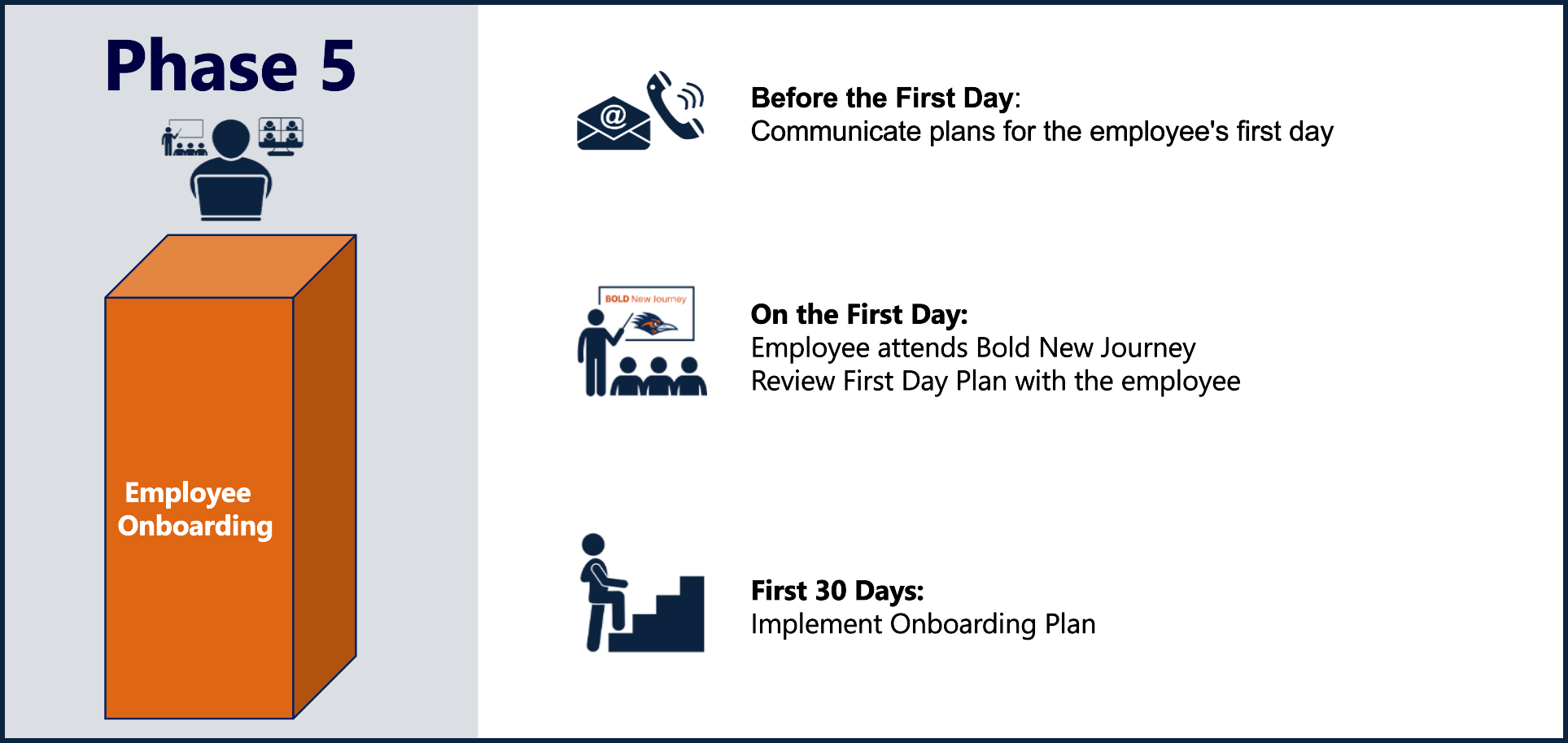
Effective Onboarding provides an opportunity for new employees to feel welcomed, engaged and inspired. The Onboarding Guide was created as a resource for leaders with helpful considerations and resources to ensure a smooth new hire experience. Please utilize this guide for recommended tasks to complete before your new employee begins, on their first day, and beyond.
Please be sure to contact your new employee to review expectations for their first day. In addition, plan to meet your new employee before and after Bold New Journey Orientation. Hiring managers will receive additional details on Bold New Journey Orientation and the New Hire Breakfast Meet & Greet via email prior to their employees’ first day.
Before the First Day
Before your new employee's first day, you should complete the following tasks to provide a successful onboarding experience.
- Contact your new employee to review what to expect on their first day.
- Make arrangements to meet your new employee at North Paseo Building 1.408 after Bold New Journey Orientation.
- Arrange to issue your new employee a PC or laptop and any additional technology.
- Create a Two-Week Onboarding Plan that will list daily activities to help acclimate your new hire to their role.
On The First Day
- Meet your new employee at 11:45 am at North Paseo Building.
- Introduce the new employee to the team.
- Request necessary systems access for your new hire by contacting Tech Cafe.
- Arrange for card access and keys to the building and office, if applicable.
Within the First 30 Days
- Ensure your new employee knows how to enter their time in PeopleSoft.
- Review the job performance expectations and training requirements.
- Arrange 1:1 meetings (biweekly/weekly).
- Determine and submit SMART goals in the Annual Performance Evaluation in PeopleSoft.
- Confirm the new employee's compliance training is complete.
